
 0
0
 0
0
A server app built using Shelf,
configured to enable running with Docker.
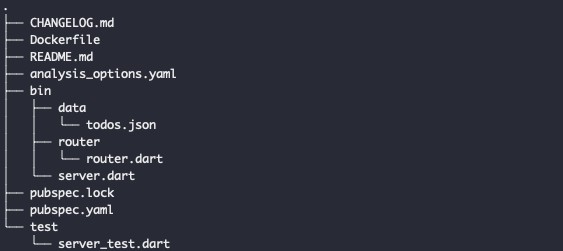
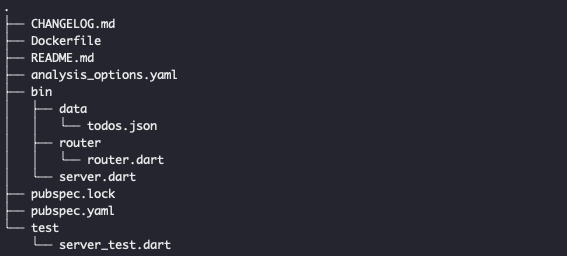
Project Structure
Running the sample
Running with the Dart SDK
You can run the example with the Dart SDK
like this:
$ dart run bin/server.dart
Server listening on port 8080
And then from a second terminal:
$ curl http://0.0.0.0:8080
Running with Docker
If you have Docker Desktop installed, you
can build and run with the docker command:
$ docker build . -t myserver
$ docker run -it -p 8080:8080 myserver
Server listening on port 8080
And then from a second terminal:
$ curl http://0.0.0.0:8080
Requests Overview
This sample code handles following requests:
GET
/todos– this request will fetch all the available todos in the list./todo/<id>-this request will fetchTodoaccording toidthat was parsed
POST
/add-todo– this request will add newTodoto the list, with JSON body that was attached.
DELETE
delete-todo/<id>– this request will deleteTodoaccording toidthat was parsed.
PATCH
/todo-done/<id>– this request will change the status ofisDoneaccording toidthat was parsed.
PUT
update-todo– this request will update and replace theTodowith sameid.
GitHub


Happy
0 %

Sad
0 %

Excited
0 %

Sleepy
0 %

Angry
0 %

Surprise
0 %


Average Rating