
 0
0
 0
0

My Manga Collection
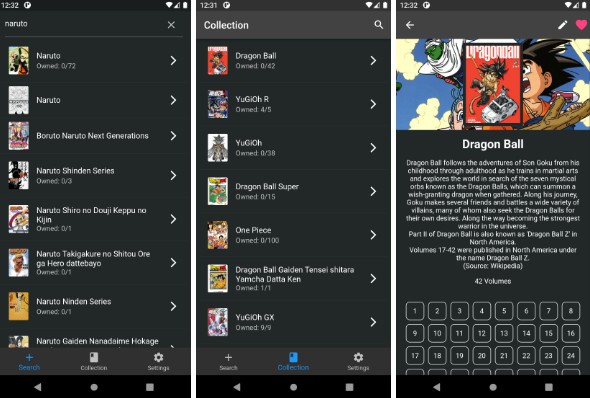
Follow and track your manga collection easily with a simple Flutter application using Kitsu API.
You can browse manga throught those available on Kistu API and save them thanks to a SQLite database to keep track of them.
Features
- 🔦 Light & Dark Theme
- 💬 English & French Language
- 🔍 Browse manga by titles throught Kitsu API
- 📖 Save manga to your collection
- 📝 Edit titles and the number of chapters of your mangas
- 💻 Works on Android, iOS, Web, Windows, Linux, MacOS
- 📂 Export your collection to a JSON file (Android & iOS only for now)
Screenshots
☀️ Light


🌙 Dark


TODO
- Import JSON collection
- Edit more manga information (synopsys, cover image, poster image)
- Add a manga locally if not found by the api
- Improve theming & animations
Install
☎️ Android
Section in construction
📱 iOS
You need to build the application with flutter using:
flutter build ios
You need to have a MacOS machine with Xcode and Flutter installed.
❓ How to Use
Simply browse the manga available on the API and add them to your collection. You will be able to keep track of the volume in your collection easily.
📦 Dependencies
- cached_network_image
- collection
- connectivity_plus
- dio
- dynamic_theme
- easy_localization
- equatable
- flutter_riverpod
- go_router
- hive
- like_button
- rxdart
- shared_preferences
Credits
- Kitsu Api – For the API
- Manga Rock – For the design inspiration
GitHub


Happy
0 %

Sad
0 %

Excited
0 %

Sleepy
0 %

Angry
0 %

Surprise
0 %
Average Rating